
Top Quantity Surveying Software & Tools in 2026 – Best Digital Takeoff and Cost Management Solutions
G.S.D Editior
3/6/20264 min read
The QS Software Stack That's Actually Making a Difference
If you have been working in quantity surveying for any length of time, you already know how much the job has changed. Digital models have replaced the pile of printed drawings on the desk, and the hours spent manually counting bricks or calculating areas have given way to more efficient and faster ways of working. In 2026, the right software is not a luxury—it is what separates a good QS from a great one.


Tool 01-cost-x
01
BUILT FOR THE WAY QS PROFESSIONALS ACTUALLY WORK
COST-X
CostX has earned its reputation the hard way-by being genuinely useful. It lets you measure directly from 2D drawings and 3D BIM models, and when drawings get revised (and they always do), your quantities update automatically. That alone saves hours of rework. The workbook-style reporting feels natural to anyone who has spent time in spreadsheets, and the BIM integration with Revit and IFC files means you are not manually re-entering data from other platforms. For QS firms handling complex projects, CostX is hard to beat.


TOOL 02—AUTODESK CONSTRUCTION CLOUD
02
WHERE BIM AND COST MANAGEMENT MEET
Autodesk Cloud
Autodesk Construction Cloud has quietly become one of the most important platforms in construction project delivery. For quantity surveyors, it brings together BIM data, document control, and cost management in a single environment. Being able to pull quantities directly from a live 3D model—rather than interpreting flat drawings—reduces interpretation errors significantly. On government contracts and large commercial builds where BIM compliance is expected, knowing your way around ACC is fast becoming a core QS skill.


TOOL 03 — CUBIT ESTIMATING
03
STRAIGHTFORWARD AND DEPENDABLE
Cubit Estimating
Cubit Estimating by Buildsoft is one of those tools that just works—and in a profession where deadlines are tight and margins matter, that counts for a lot. It has been a trusted name in construction estimating for years, and in 2026, it remains a firm favorite among QS practices that want reliable results without unnecessary complexity. The takeoff tools are clean and intuitive, the rate libraries save serious time when building up costs, and the finished estimates and cost reports look professional straight out of the box. Cubit suits a wide range of project types—residential, commercial, and civil—which makes it flexible enough for most QS workloads. The recent updates have also improved cloud syncing and team collaboration features, so multiple estimators can work on the same job without stepping on each other's toes.


TOOL 04—PLANSWIFT
04
FAST, PRATICALTAKEOFFS WITHOUT FUSS
PlanSwift
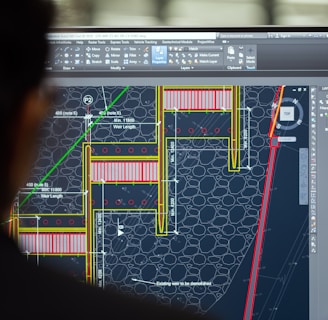
PlanSwift has built a loyal following among quantity surveyors and estimators who want a reliable, no-nonsense takeoff tool that does not take weeks to learn. You import your drawings, start measuring, and the software handles the rest—counting, linear measurements, and area calculations—all done on screen with a few clicks. What makes PlanSwift stand out in 2026 is its accessibility. Smaller QS practices and independent estimators particularly appreciate that it delivers professional-grade results without the complexity or cost of enterprise-level platforms. The customizable assemblies feature is a real time-saver—once you set up your standard items, reusing them across projects becomes second nature.

TOOL 05—BLUEBEAM REVU
05
THE GO-TO-FOR DRAWING REVIEWS
Bluebeam Revu
Ask almost any quantity surveyor what they use for marking up drawings and reviewing tender documents, and Bluebeam will come up repeatedly. Its on-screen measurement tools are accurate, its annotation features are clean, and the Studio Sessions function makes real-time collaboration with architects and engineers genuinely easy. In a world where project teams are spread across different offices and time zones, Bluebeam keeps everyone working from the same page—literally.


TOOL 06—EXCEL & POWER BI
06
OLD RELIABLE, NEW TRICKS
Microsoft Excel & Power BI
Excel is not going anywhere. Cash flow forecasts, bills of quantities, final account summaries—for many QS professionals, Excel is still where the real thinking happens. What has changed in 2026 is how it pairs with Power BI, turning rows of cost data into visual dashboards that clients and project directors can actually read and engage with. It is a combination that feels familiar but delivers something genuinely modern.
Final Thoughts
There is no single perfect software stack for every quantity surveyor—it depends on your project types, your team size, and the clients you work with. But the tools covered here represent what is working well in practice right now. Start with one, get comfortable with it, and build from there. The surveyors getting the best results in 2026 are not necessarily the ones using the most tools—they are the ones who know their tools well.